Plain Markdown notes, kept on your machine
A fast, quiet notes app. Every note is an ordinary .md file in a folder you choose — no database, no locked format, with optional end-to-end encrypted Niobium Cloud sync.
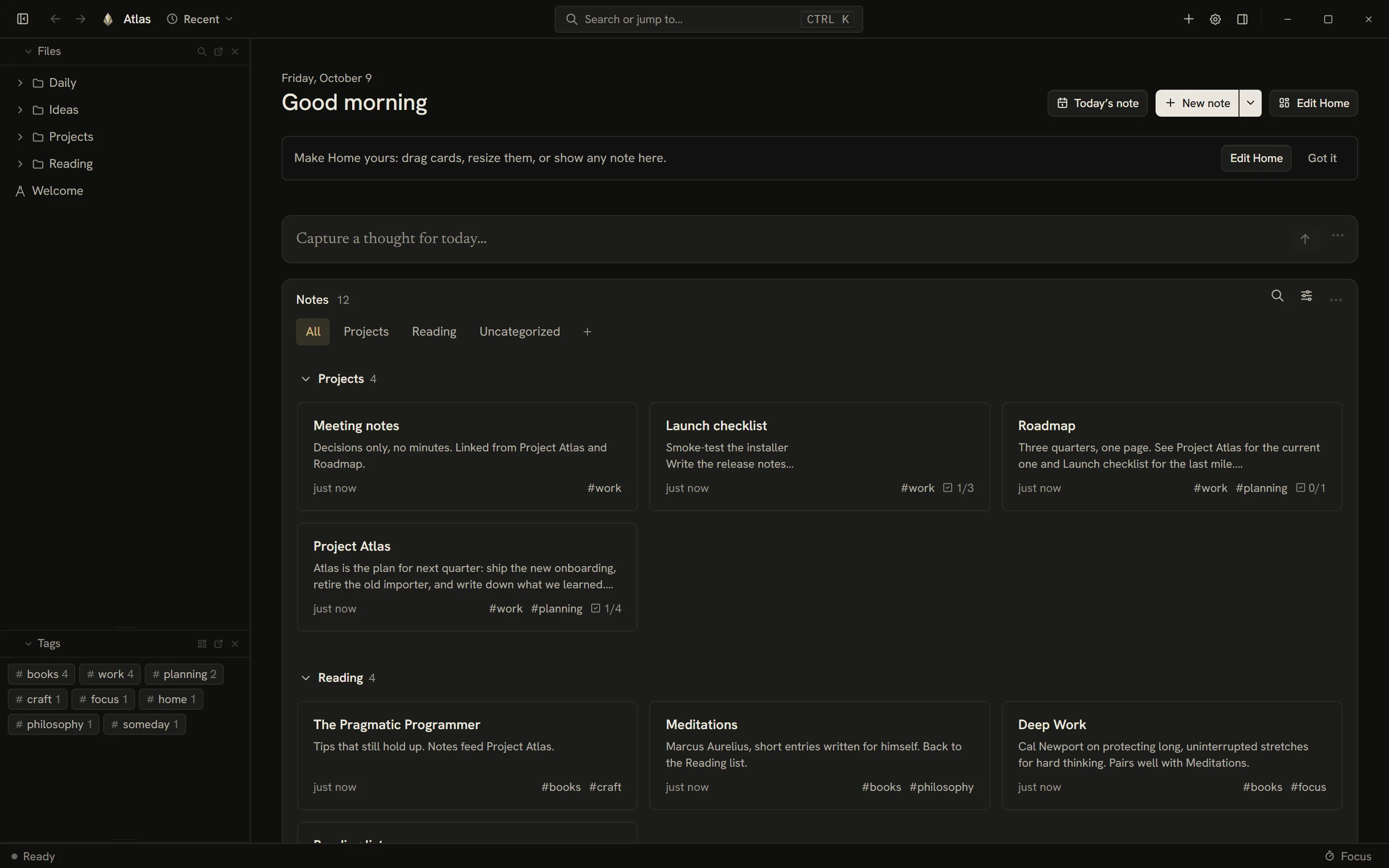
Niobium feature tour
-
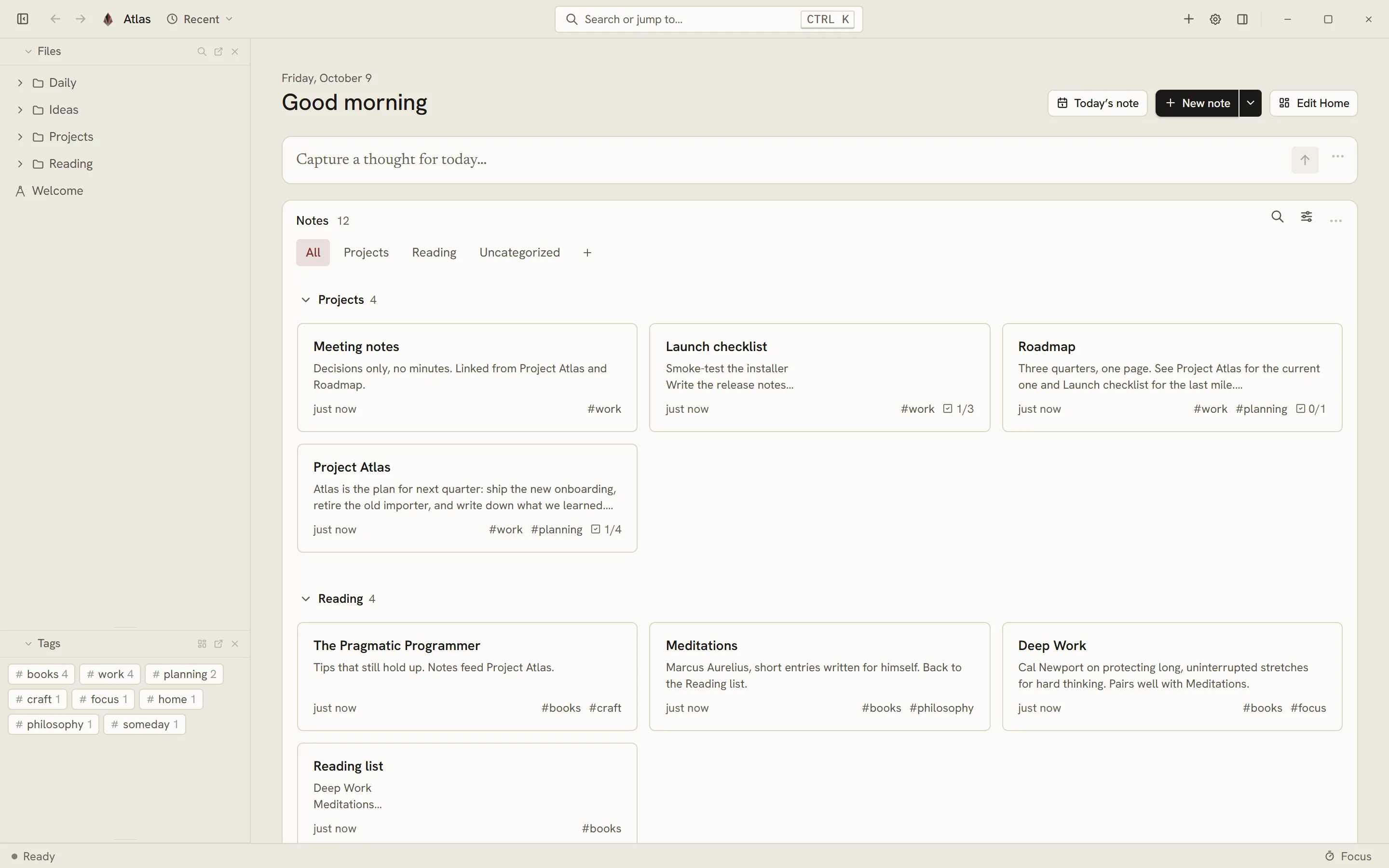
Open your day
The Home screen gives you quick capture, due tasks, and pinned notes.
-
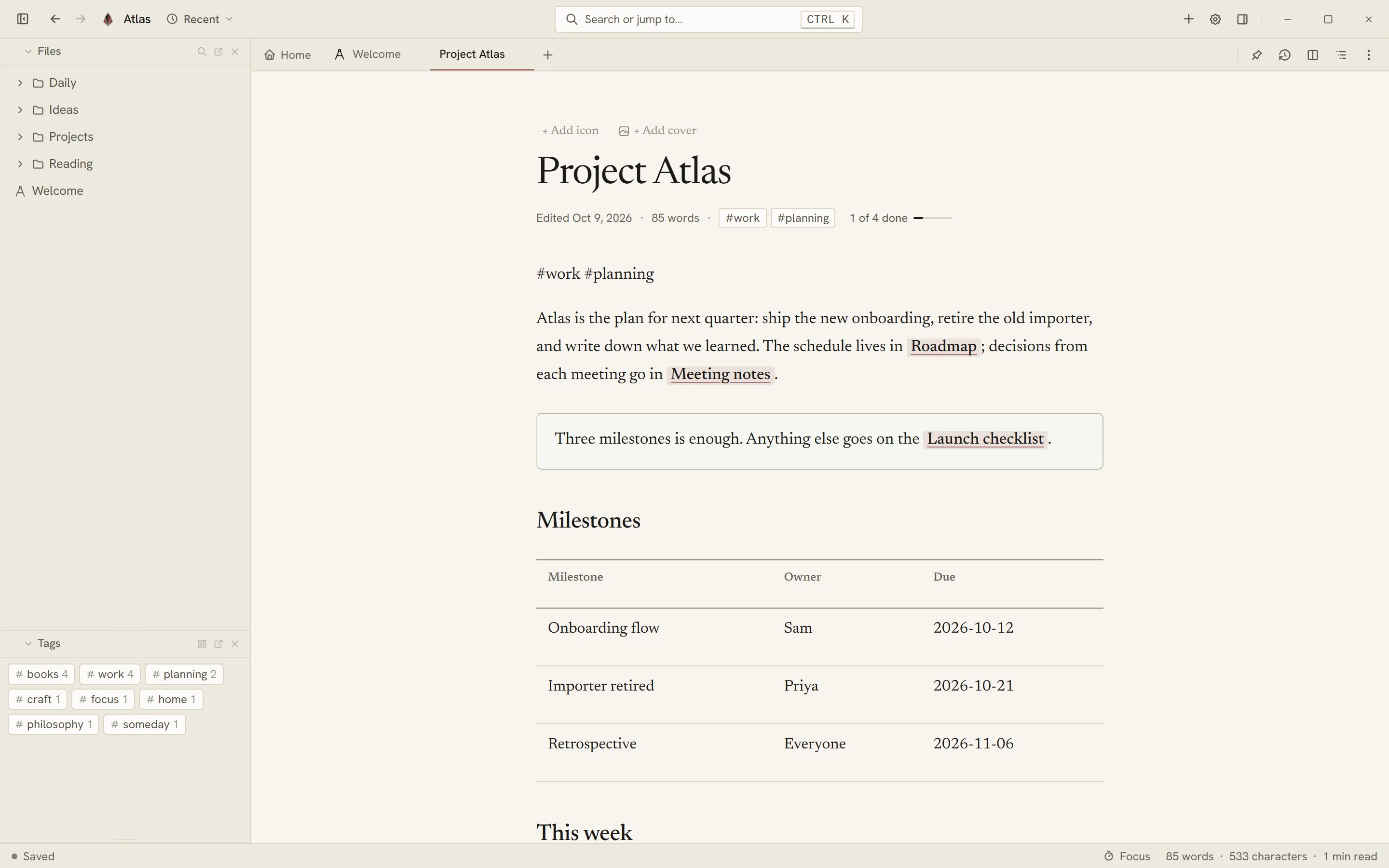
A quiet writing space
A clean interface with slash commands (/), tables, callouts, math blocks, and [[wikilinks]].
-
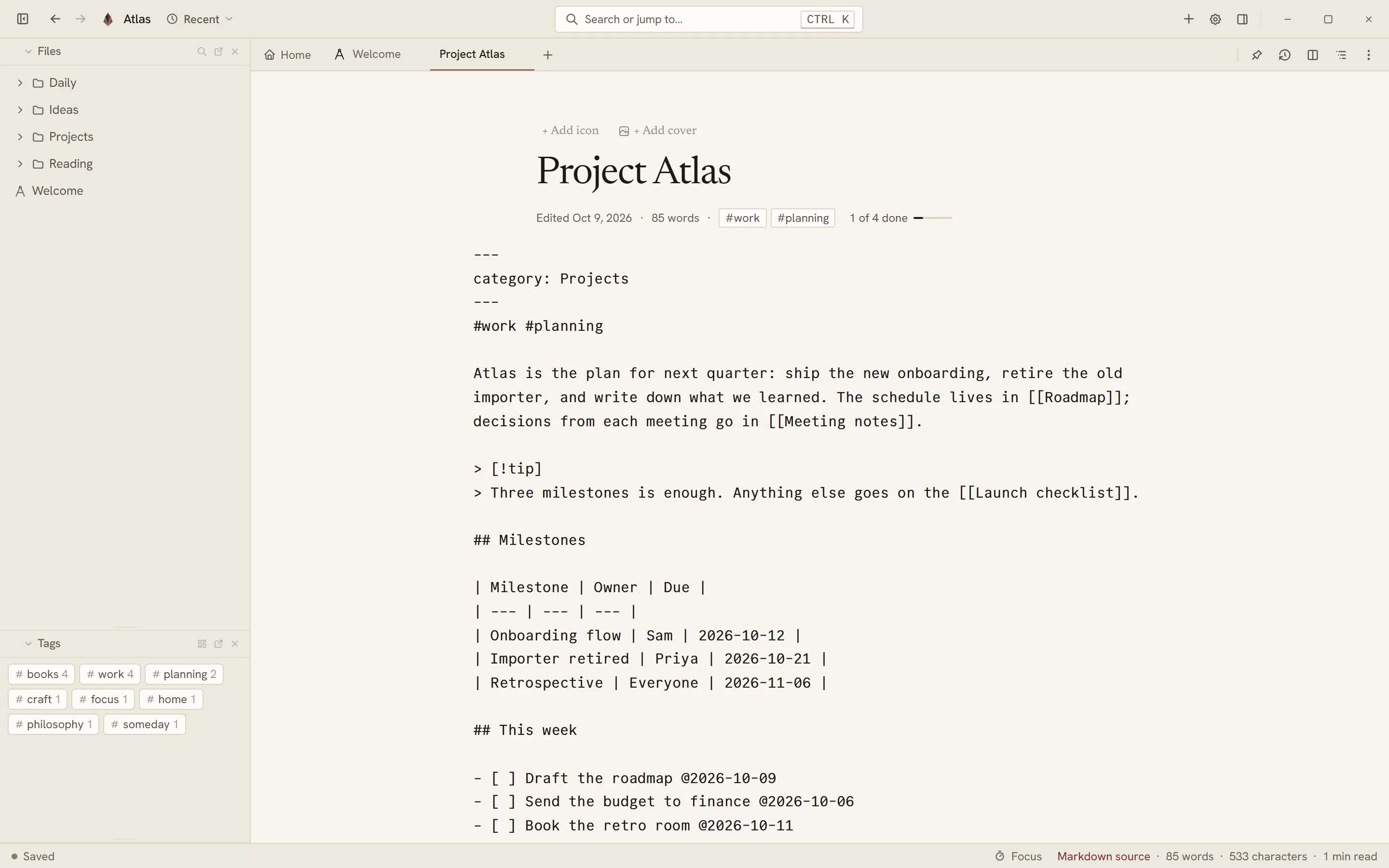
Pure Markdown format
See the file structure as it is. Only modified blocks are rewritten on save.
Ctrl Alt M
-
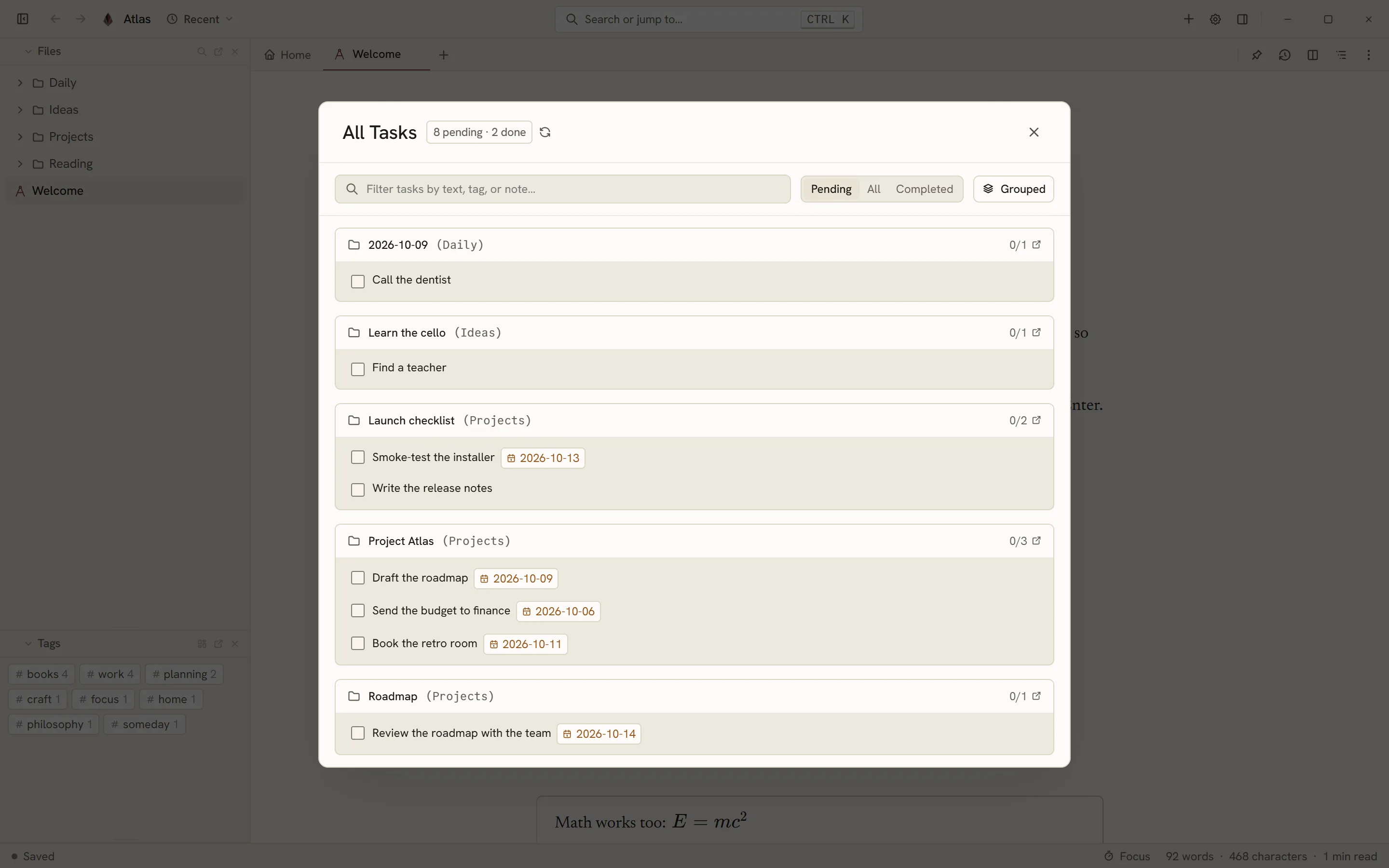
Tasks from every note
Checklist lines with due dates and tags gathered into one Task Hub.
Ctrl Shift T
-
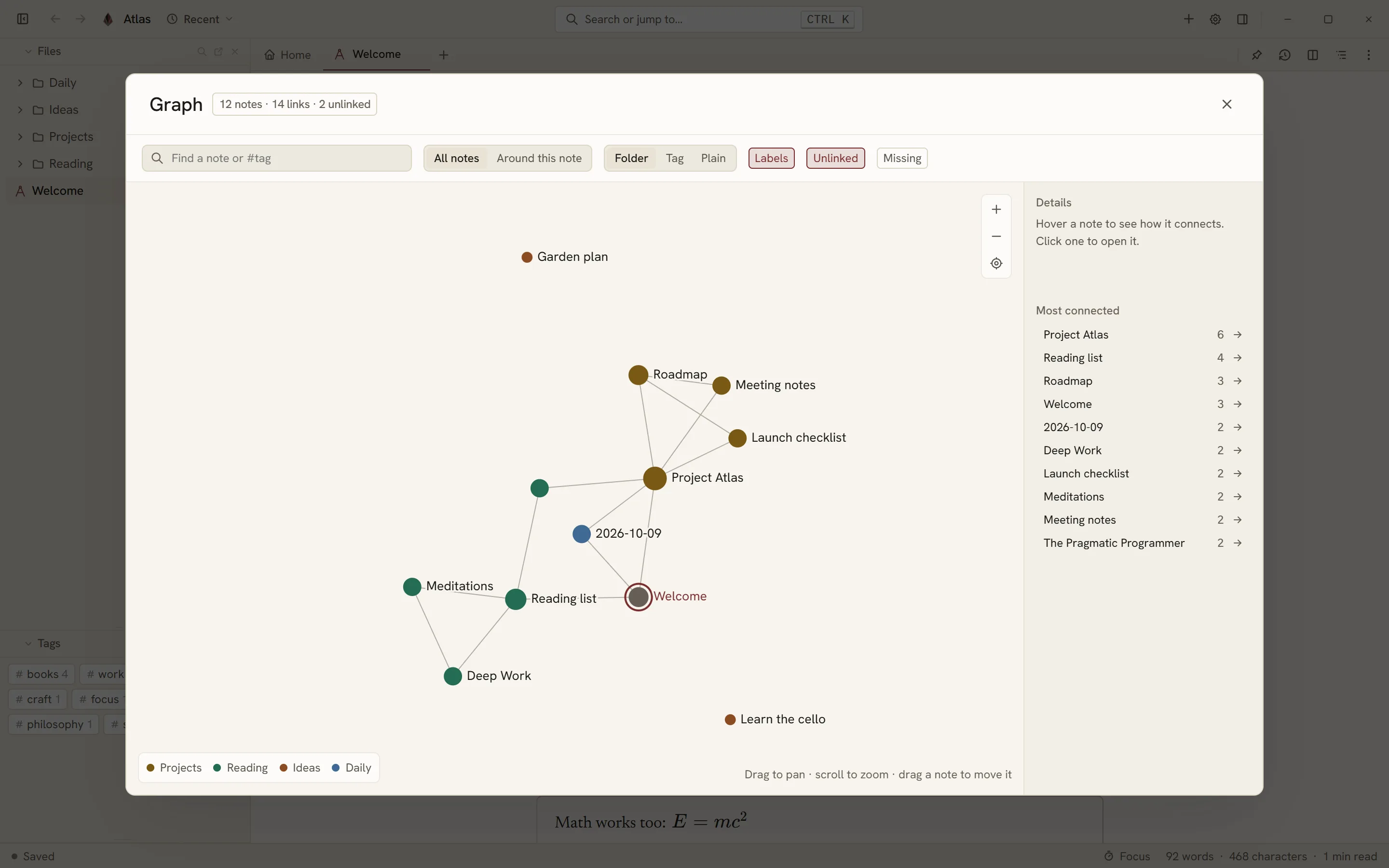
See how ideas connect
The knowledge graph maps all your notes and the relationships between topics.
Ctrl Shift G
-
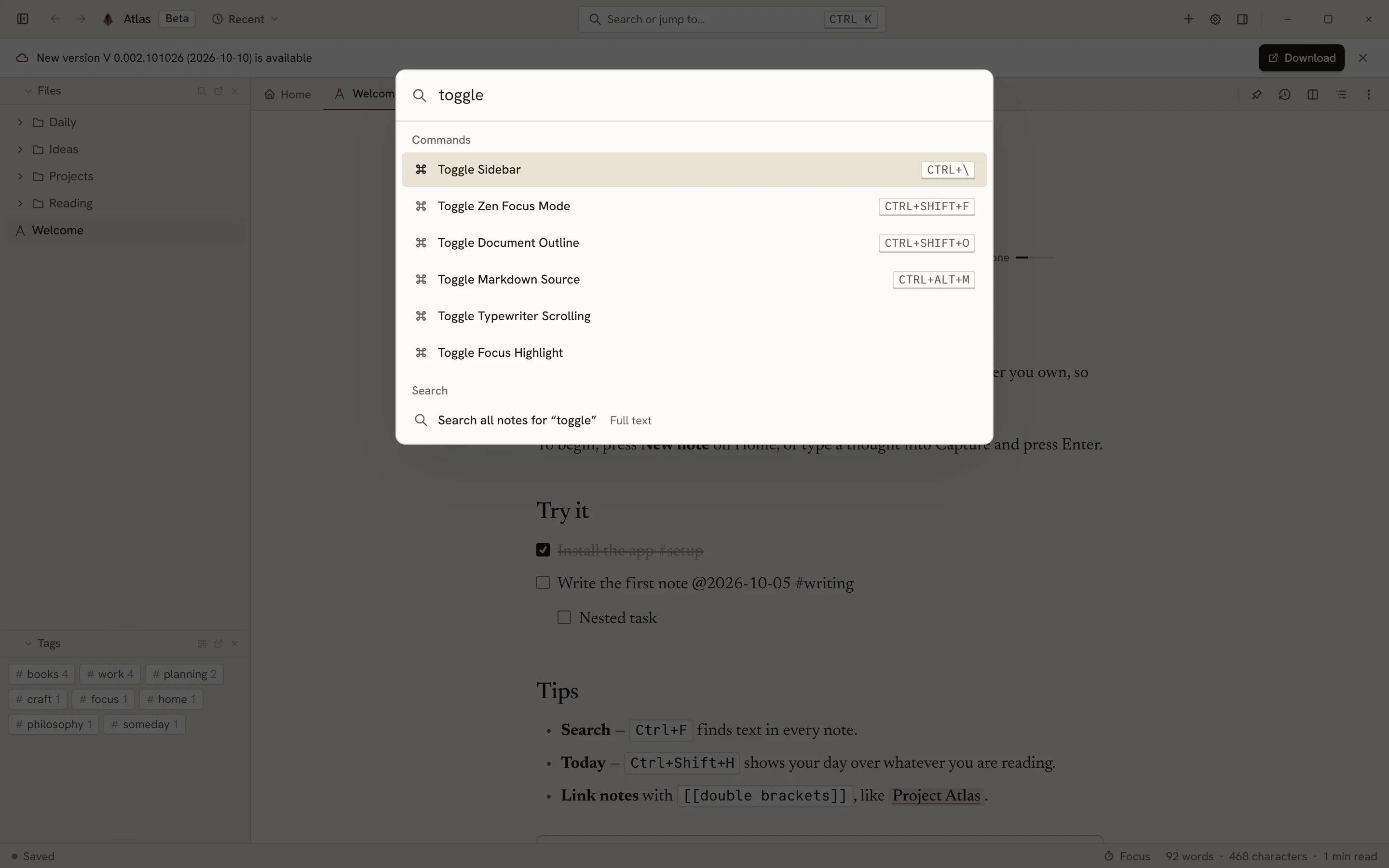
Every action, one key away
Open notes, run commands, and change settings with fast key combinations.
Ctrl K


Open format, completely yours
Niobium does not lock your notes in proprietary containers. You can open and edit your notes in any text editor at any time.
Buka folder catatan dengan VS Code, Notepad, Obsidian, atau aplikasi teks apa pun kapan saja.
# Rencana Peluncuran
Catatan ini tersimpan sebagai berkas teks murni.
- [ ] Selesaikan integrasi sinkronisasi
Integrated tasks within notes
Write actionable checkboxes directly in your prose. Niobium aggregates them in a dedicated view without separating your thoughts from their context.
Review Mingguan.md
- [ ][x] Kirim laporan anggaran @2026-10-03 #keuangan - [ ][x] Tulis draf roadmap produk @2026-10-09 - [ ][x] Jadwalkan diskusi teknis #timCentang tugas langsung memperbarui baris catatan.
Terlewat
Hari Ini
Tanpa Tanggal
Visual knowledge graph
Link notes with [[wiki-links]]. See relationships and connections across your thoughts in an interactive graph.
Tautan dua arah otomatis membangun jejaring pemikiran yang saling terhubung.

Four eye-friendly themes
Designed for hours of comfortable writing and reading: Vellum, Travertine, Onyx, and Walnut.
Tersedia 53 jenis huruf bawaan langsung di dalam aplikasi.
Also available on Android
Take your notes everywhere. A light, fast interface designed for reading and writing on mobile.


Privat dan transparan
Catatan tersimpan di folder perangkatmu. Layanan sinkronisasi terenkripsi penuh sehingga kami tidak dapat membaca catatanmu.
Flexible synchronization choices
Choose official end-to-end encrypted Niobium Cloud, or connect directly to your own Google Drive, Dropbox, or WebDAV.
Catatan Proyek (conflict from LAPTOP, 2026-10-09).md